> For the complete documentation index, see [llms.txt](https://support.emsigner.com/llms.txt). Markdown versions of documentation pages are available by appending `.md` to page URLs; this page is available as [Markdown](https://support.emsigner.com/types-of-esignatures/united-arab-emirates.md).
# United Arab Emirates
### UAE PASS Signature
The UAE PASS signature enables users to sign documents using their UAE PASS digital identity, providing a secure and government-backed signing mechanism for users in the United Arab Emirates.
This signature type allows identity-based authentication and legally valid digital signing through the UAE PASS platform.
***
### Enable UAE PASS (Prerequisite)
Before UAE PASS can be used in a signing workflow, it must be enabled by the administrator.\
The enablement is managed separately for internal users and external users.
#### Internal Users
* The administrator must enable UAE PASS from Profile → Signature Type.
* While creating or editing an internal user, the administrator must grant permission for UAE PASS signature.
* Each internal user must store their UAE PASS Identification Number in their profile.
Only internal users with this permission and a valid UAE PASS identification number can use UAE PASS for signing.
#### External Users
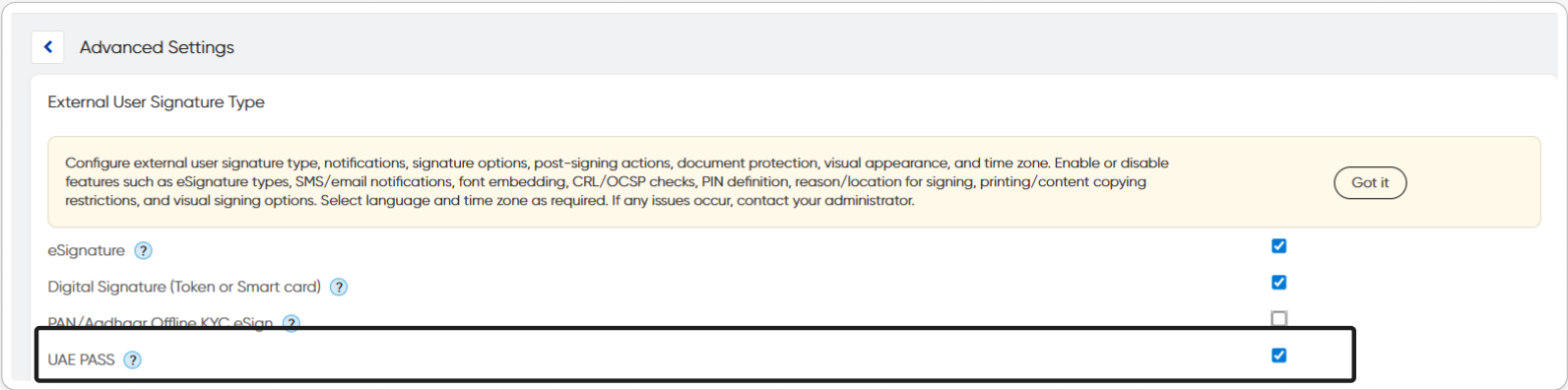
* From Settings → Advanced Settings → External User Signature Type, the administrator must enable UAE PASS.
Once enabled, UAE PASS becomes available as a signing option for participants.
***
### Login Using UAE PASS
After UAE PASS is enabled:
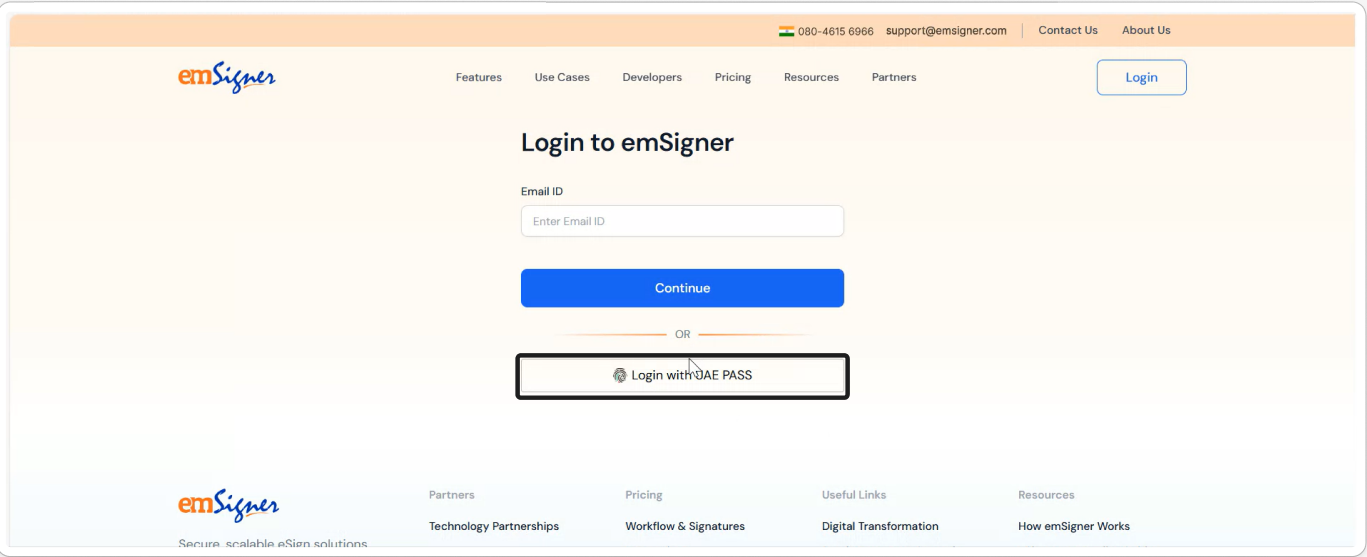
* Users can log in to emSigner using their UAE PASS account.
* The login requires authentication through the UAE PASS platform.
This ensures that only verified UAE PASS users can access signing workflows where UAE PASS is configured.
***
### Configure UAE PASS During Envelope Creation
Once the required permissions are enabled, the document initiator can configure UAE PASS while adding participants.
Steps:
1. Create a new envelope.
2. From Add Participants, select the required internal or external user.
3. Under Participant will sign with, select UAE PASS.
4. Save the participant configuration and proceed with the workflow.
The UAE PASS option is displayed only for users who have been granted the required permission.
***
### Signing Using UAE PASS
When it is the participant’s turn to sign the document:
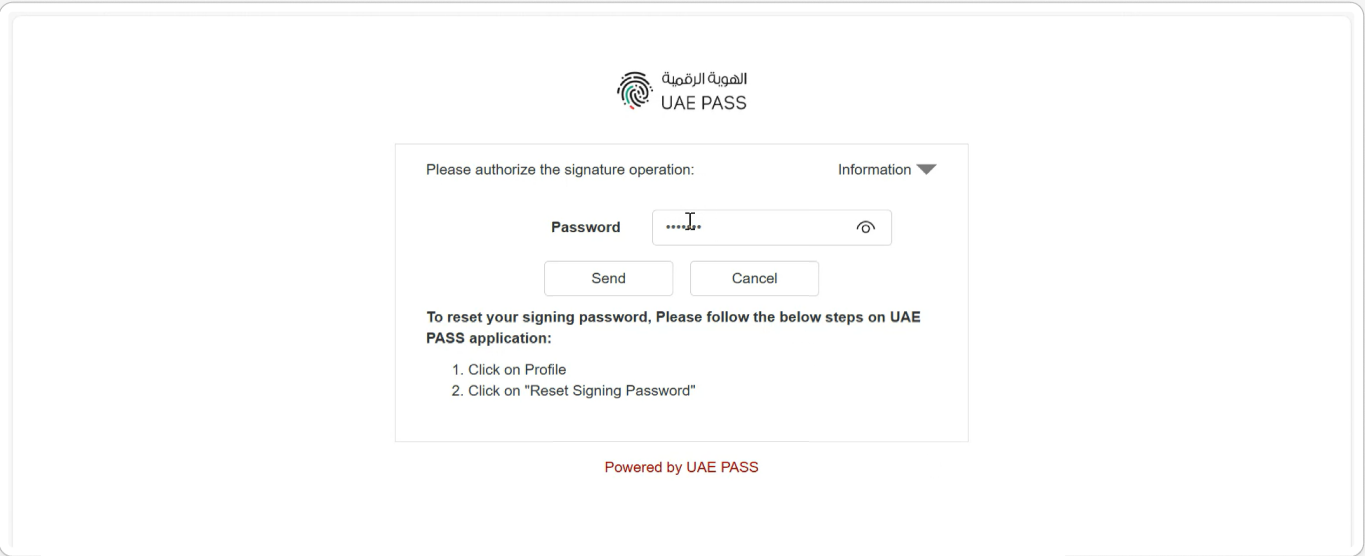
1. The user is redirected to the UAE PASS authentication page.
2. The user authenticates using their UAE PASS credentials.
3. The user authorizes the signing request through the UAE PASS flow.
4. Upon successful authorization, the signature is applied to the document.
***
### Signature Completion
After the signing process is completed successfully:
* The document status is updated to Signed.
* The signed document is securely stored in Doc Store.
* Audit details related to UAE PASS authentication and signing are embedded within the document.
---
# Agent Instructions
This documentation is published with GitBook. GitBook is the documentation platform designed so that both humans and AI agents can read, navigate, and reason over technical content effectively. Learn more at gitbook.com.
## Querying This Documentation
If you need additional information that is not directly available in this page, you can query the documentation dynamically by asking a question.
Perform an HTTP GET request on the current page URL with the `ask` query parameter, and the optional `goal` query parameter:
```
GET https://support.emsigner.com/types-of-esignatures/united-arab-emirates.md?ask=&goal=
```
`ask` is the immediate question: it should be specific, self-contained, and written in natural language.
`goal` is optional and describes the broader end goal you are ultimately trying to accomplish on behalf of the user. GitBook uses it to tailor the answer towards what is most useful for that goal.
The response will contain a direct answer to the question and relevant excerpts and sources from the documentation.
Use this mechanism when the answer is not explicitly present in the current page, you need clarification or additional context, or you want to retrieve related documentation sections.